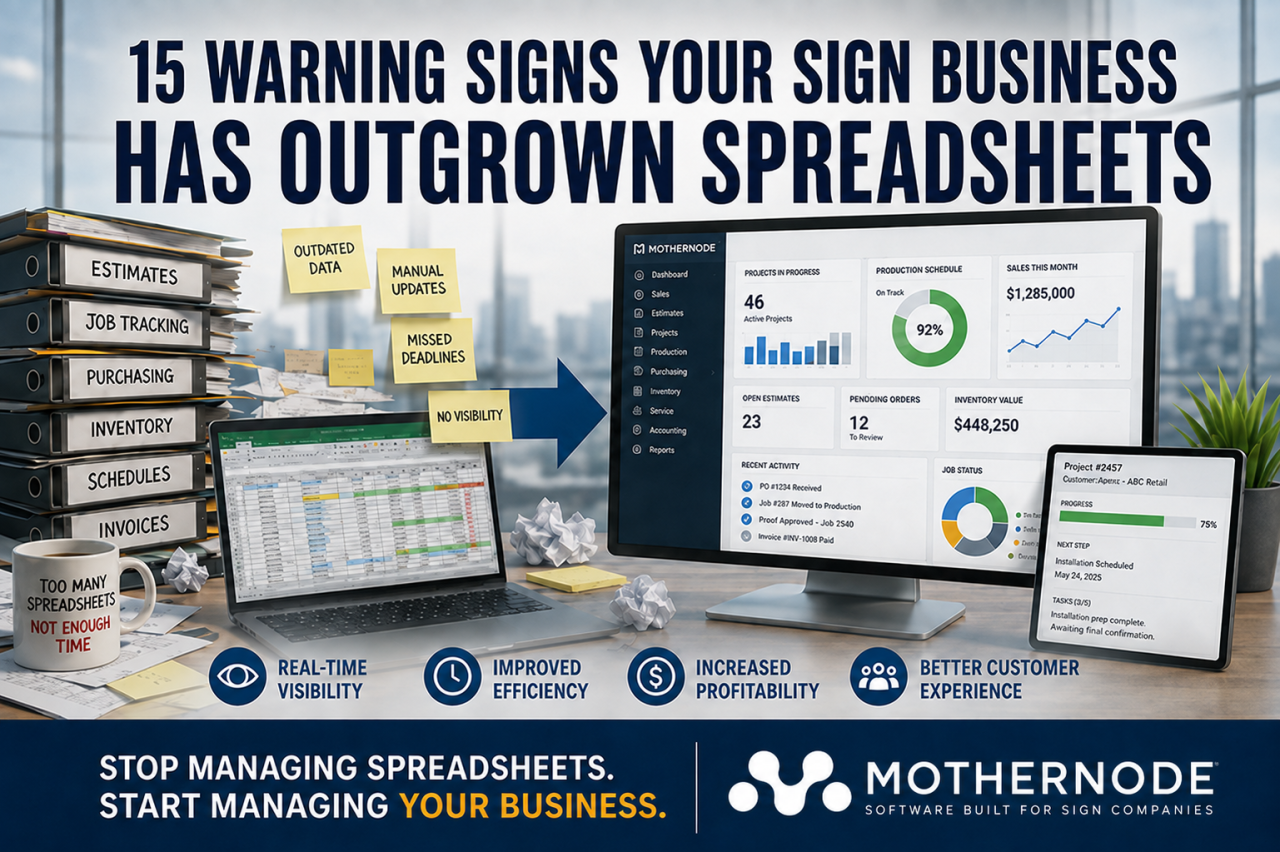
Spreadsheets are among the most useful tools available to a growing sign company. They are inexpensive, familiar, flexible, and easy to customize. A new sign shop can use them to track leads, prepare estimates, schedule installations, monitor inventory, and manage basic job information without investing in specialized software.
For a while, this approach may work perfectly well.
The problem is that spreadsheets do not scale gracefully. As your company adds customers, employees, products, vendors, locations, and production capacity, those once-simple files can become a maze of formulas, tabs, duplicated information, and manual processes. Instead of helping your team stay organized, they begin slowing everyone down.
This transition rarely happens overnight. Your company may continue functioning, but employees spend more time searching for information, correcting mistakes, and updating multiple files. Important details become increasingly difficult to track, and management has less confidence in the numbers used to make business decisions.
How can you tell when your sign business has reached this point? Here are 15 warning signs that your company has outgrown spreadsheets—and may be ready for an integrated business management platform.
1. Employees Maintain Different Versions of the Same Spreadsheet
One of the first warning signs is the appearance of filenames such as:
- “Production Schedule Final”
- “Production Schedule Final Updated”
- “Production Schedule Final Updated 2”
- “Production Schedule USE THIS ONE”
When employees email spreadsheets, download local copies, or save files in different folders, it becomes difficult to determine which version contains the latest information. One person may update a job’s installation date while another continues working from an older copy.
These inconsistencies can cause missed deadlines, incorrect production priorities, and confusion between departments. Employees may spend valuable time comparing files simply to determine which information is accurate.
A centralized system gives everyone access to the same current record. When a customer, order, or job is updated, authorized employees can see the change without passing files back and forth.
2. Quotes Take Too Long to Prepare
Sign estimates can involve many variables, including dimensions, materials, labor, equipment, finishing methods, installation requirements, subcontracted services, and desired margins. Spreadsheets may initially make these calculations easier, but they become harder to manage as your product offerings grow.
Estimators may need to search several files for material costs, copy information from previous quotes, or manually calculate square footage and markups. Complex formulas may only be understood by the person who created them.
Slow quoting can hurt your ability to win business. Customers often request proposals from multiple sign companies, and the first qualified response may have an advantage.
A dedicated estimating system can standardize pricing formulas, product configurations, labor rates, and markup rules. This helps sales representatives produce professional, consistent quotes more quickly while protecting company margins.
3. Pricing Errors Are Becoming More Common
One incorrect cell reference can affect hundreds of spreadsheet calculations. A formula may be accidentally overwritten, a row may be excluded from a total, or an estimator may use an outdated material price.
These errors are not always obvious. A quote may look correct while quietly excluding installation labor, design time, freight, permitting expenses, or outsourced services. The company may win the order only to discover later that the job was priced below the required margin.
Underpricing is especially dangerous because increased sales do not necessarily lead to increased profit. A sign company can appear busy while losing money on work it has incorrectly estimated.
When pricing logic is controlled within an integrated system, businesses can apply consistent formulas, update costs centrally, and reduce dependence on manually maintained calculations.
4. Customer Information Is Scattered Across Multiple Files
A customer’s contact information may be stored in one spreadsheet, quote history in another, installation details in a third, and outstanding issues somewhere else. Employees may also keep important notes in email inboxes, notebooks, or personal documents.
This fragmentation makes it difficult to understand the complete customer relationship. A salesperson may not know that a customer has an open service issue. An accounting employee may not see that a billing dispute is being resolved. A project manager may be unaware of a special installation requirement discussed during the sales process.
A centralized customer relationship management system creates a shared history of contacts, opportunities, quotes, orders, activities, and communications. Employees can work from the same information instead of assembling the story from disconnected sources.
5. Jobs Are Falling Through the Cracks
Spreadsheets rely heavily on employees remembering to enter, update, and review information. If someone forgets to change a status or add a due date, a job can sit unnoticed.
For example, an approved order may not be released to production. Artwork may be waiting for customer approval without a scheduled follow-up. Materials may need to be ordered, but purchasing may not know the job is approaching its production date.
As job volume increases, verbal reminders and color-coded rows are no longer enough. Your company needs a process that moves work through defined stages and clearly identifies what requires attention.
Workflow-driven software can help teams track jobs from initial inquiry through quoting, approval, production, installation, invoicing, and completion.
6. Your Production Schedule Is Constantly Out of Date
Production scheduling is one of the most difficult processes to manage with spreadsheets. Schedules can change throughout the day due to rush orders, equipment problems, material shortages, customer revisions, employee availability, and weather-related installation delays.
A spreadsheet represents only the moment when it was last updated. Printed copies become outdated almost immediately, and employees may not see changes made after they begin working.
The result is frequent interruption. Production employees ask managers what to work on next, salespeople request status updates, and managers spend their day rearranging priorities.
A centralized production schedule gives teams better visibility into current workloads, due dates, job status, and assigned resources. Mothernode, for example, supports production workflows, scheduling, job boards, and grouping compatible line items for more efficient production management through one connected platform. (Mothernode Support)
7. Sales and Production Disagree About Job Requirements
Salespeople focus on what the customer ordered. Production employees focus on what must be built. When information passes between these departments through spreadsheets, emails, printed documents, and conversations, details can be lost.
Production may receive an incomplete description, an outdated proof, or specifications that changed after the original quote. Sales may assume production has everything it needs, while production waits for clarification.
These communication gaps lead to rework, delays, and frustration. They can also damage customer relationships when a finished sign does not match expectations.
An integrated system creates a direct connection between the quote, order, production job, and supporting documentation. Production teams can work from the approved specifications, while sales representatives can monitor progress without repeatedly interrupting the shop.
8. You Cannot Quickly Determine the Status of an Order
When a customer calls for an update, can your team answer immediately?
If employees must walk to the production floor, call an installer, search through emails, or ask several coworkers, the company lacks reliable job visibility. The answer may depend on who is available and what they remember.
Customers expect clear, accurate communication. Repeatedly saying, “Let me check and call you back,” can make even a capable sign company appear disorganized.
A centralized order record allows authorized employees to see whether a job is awaiting artwork, customer approval, materials, production, quality control, installation, or invoicing. Better visibility improves both internal coordination and customer service.
9. Inventory Counts Cannot Be Trusted
Spreadsheet-based inventory management depends on people manually recording every receipt, allocation, adjustment, and usage event. In a busy shop, these updates are easily delayed or forgotten.
The spreadsheet may show that vinyl, substrate, hardware, lighting components, or ink is available when the physical inventory says otherwise. Employees then discover shortages only after production is supposed to begin.
Overordering creates a different problem. The company ties up cash in materials it may not use for months, while duplicate purchases consume valuable storage space.
Inventory software can connect purchasing, receiving, production requirements, and stock adjustments. It can also account for materials purchased in one unit and consumed in another. Mothernode’s inventory functionality, for example, supports units of measure, bill-of-materials pricing, costs, and inventory multipliers. (Mothernode Support)
10. Purchasing Is Reactive Instead of Planned
When purchasing information is separated from sales and production, buyers may not know what materials upcoming jobs will require. Orders are placed only after someone discovers that a needed item is unavailable.
This reactive approach can result in rush shipping charges, production delays, substitution of less desirable materials, and missed installation commitments. It also makes it difficult to combine purchases or negotiate effectively with vendors.
A connected business platform can provide purchasing teams with earlier visibility into demand. Buyers can identify material requirements from approved orders and production plans instead of relying on last-minute messages from the shop floor.
11. Only One Person Understands the Critical Spreadsheets
Many growing companies depend on a “spreadsheet expert”—the employee who created the formulas, macros, lookup tables, and color-coding system that everyone else uses.
This creates operational risk. If that employee is unavailable, leaves the company, or accidentally damages a file, essential business processes may stop. Even small changes can be intimidating because no one wants to break the spreadsheet.
Important systems should not depend on one person’s private knowledge. Standardized software provides documented processes, controlled permissions, repeatable workflows, and support resources that can reduce this dependence.
Your experienced employees remain valuable, but their knowledge can be used to improve operations rather than maintain a fragile collection of files.
12. Reporting Requires Hours of Manual Work
A business owner should be able to answer fundamental questions about the company:
- How much is currently in the sales pipeline?
- Which jobs are late?
- What is the current production workload?
- Which products or services are most profitable?
- How much work has each salesperson closed?
- What is the value of open orders?
- Which customers generate the most revenue?
- Where are jobs getting delayed?
When information is distributed across spreadsheets, producing these reports often requires exporting, copying, cleaning, reconciling, and reformatting data. By the time the report is finished, some of the information may already be outdated.
Real-time dashboards and reports allow managers to identify trends and problems sooner. Instead of spending hours preparing the numbers, they can spend that time acting on them.
13. You Do Not Know Which Jobs Are Actually Profitable
Revenue alone does not reveal whether a project was successful. Sign companies must consider actual material costs, labor, equipment time, subcontracting, shipping, installation, rework, and other expenses.
Spreadsheets can estimate job costs, but comparing the estimate with actual results is difficult when purchasing, time tracking, inventory, and production data are stored separately.
Without reliable job costing, a company may continue selling products that generate little profit. Management may also underestimate the financial effect of change orders, remakes, overtime, or inefficient production methods.
Integrated job costing connects estimated and actual costs, giving managers a more accurate picture of job performance. That information can be used to improve future pricing, purchasing, production, and product strategy.
14. Growth Requires Adding More Administrative Work
Healthy growth should create economies of scale. However, spreadsheet-based operations often create the opposite effect.
Every increase in sales volume generates more manual data entry, status meetings, file maintenance, and reconciliation. The company may need to hire administrative employees simply to copy information between systems and keep spreadsheets current.
This is a sign that your processes are not scalable. If doubling revenue would require doubling the number of people who manage paperwork, growth will place increasing pressure on margins.
Automation can reduce repetitive tasks and allow employees to manage a larger volume of work without a proportional increase in administrative effort. Information entered during quoting can flow into orders, production, purchasing, invoicing, and reporting instead of being retyped at every stage.
15. Your Team Spends More Time Managing Spreadsheets Than Managing the Business
The clearest warning sign is the amount of effort required to keep your spreadsheet system operating.
Employees may spend hours updating cells, checking formulas, locating files, combining reports, correcting duplicate entries, and asking coworkers for missing information. Managers become data coordinators instead of decision-makers. Salespeople perform administrative work instead of selling, and production leaders spend their time answering status questions instead of improving output.
Spreadsheets are supposed to save time. When maintaining them becomes a major part of the workday, they are no longer serving their original purpose.
What Should Replace Your Spreadsheets?
Outgrowing spreadsheets does not mean your sign company needs a collection of unrelated applications. Adding separate tools for CRM, estimating, scheduling, inventory, production, and reporting can create a different version of the same problem: information becomes trapped in disconnected systems.
The better approach is to look for a connected platform that supports the complete lifecycle of your work.
For many sign businesses, essential capabilities include:
- Customer and lead management
- Opportunity and pipeline tracking
- Product-based estimating
- Configurable pricing formulas
- Quote and order management
- Artwork and document storage
- Production workflows
- Job scheduling and status tracking
- Purchasing and vendor management
- Inventory control
- Installation coordination
- Job costing
- Dashboards and real-time reporting
- Accounting integrations
- Mobile access
- Role-based permissions
The goal is not simply to digitize existing spreadsheets. It is to create a consistent operational process in which information flows naturally from one department to the next.
How to Make the Transition Successfully
Replacing spreadsheets can feel intimidating, particularly when employees have relied on them for years. A successful transition begins by documenting how work currently moves through the company.
Identify where information originates, who uses it, where it is duplicated, and where delays commonly occur. Determine which spreadsheets are essential and which exist only to compensate for missing visibility elsewhere.
Next, define your most important outcomes. You may want to accelerate quoting, improve production scheduling, gain better job-cost information, reduce rework, or provide faster customer updates. These priorities will help guide system configuration and employee training.
Data should also be cleaned before migration. Outdated contacts, duplicate products, inconsistent pricing, and inactive vendors do not become more useful simply because they are moved into new software.
Finally, involve employees from sales, estimating, production, purchasing, installation, and accounting. The people who perform the daily work can identify practical requirements that managers may overlook. Their participation also makes adoption easier because they understand why the company is changing.
Spreadsheets Are a Starting Point, Not a Growth Strategy
There is nothing inherently wrong with using spreadsheets. They help many sign companies organize their early operations and can remain valuable for temporary calculations or one-time analysis.
However, spreadsheets were not designed to manage a growing company’s entire customer, sales, estimating, production, inventory, and job-costing process. As complexity increases, their flexibility becomes a liability. Manual updates multiply, visibility declines, and small mistakes create larger consequences.
If several of these 15 warning signs sound familiar, your company may have reached the point where spreadsheets are costing more than they save.
Mothernode provides sign companies with an integrated cloud-based platform for managing CRM, quoting, orders, inventory, production, workflows, and reporting. By connecting information across departments, sign businesses can reduce manual work, improve visibility, protect margins, and build processes capable of supporting continued growth.
The right time to replace spreadsheets is not after they cause a major failure. It is when your business recognizes that the tools that helped it get started are no longer the tools it needs to move forward.
Schedule a live Mothernode demonstration to see how one connected platform can help your sign business operate more efficiently and prepare for its next stage of growth.