Running a sign company involves a constant balancing act.
There are estimates to prepare, jobs to schedule, materials to order, artwork to approve, production deadlines to meet, installations to coordinate, invoices to send, and customers expecting updates along the way.
When business is busy, replacing the software that helps manage those processes may feel like the last thing you want to do.
But waiting for the “perfect” time can create another problem: that perfect time may never arrive.
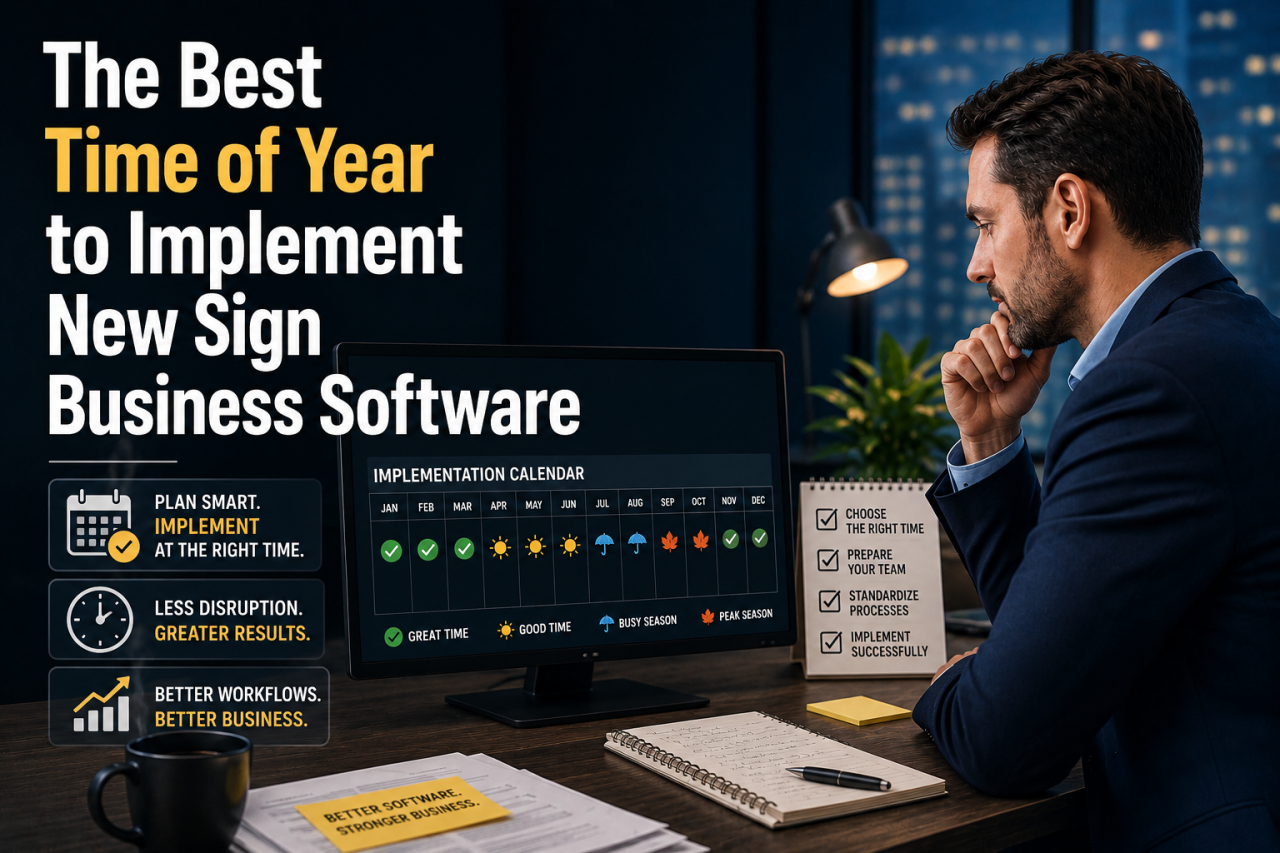
For most sign companies, the best time to implement new business management software isn’t necessarily a particular month on the calendar. It’s a period when your company has enough operational breathing room to prepare employees, clean up data, establish new processes, and transition without putting important customer work at risk.
That said, some times of the year can be better than others.
Understanding your company’s seasonal patterns—and recognizing the operational signs that indicate you’ve waited long enough—can help you choose the right implementation window.
Why Timing Matters When Changing Sign Business Software
Implementing new software is more than installing an application and giving employees usernames.
If the system will manage estimating, sales, purchasing, production, inventory, job costing, scheduling, CRM, invoicing, or other critical business processes, employees need time to learn how those functions work.
Your company may also need to migrate customer information, product data, pricing, vendor records, open opportunities, and other important information.
Existing processes may need to be reviewed as well.
That’s why implementation timing matters.
Launching a major new system during your busiest production period can create unnecessary pressure. Employees who are already trying to keep jobs moving may have little patience for training sessions or changes to familiar workflows.
On the other hand, waiting indefinitely can be expensive.
If disconnected systems, spreadsheets, manual processes, or outdated software are already creating problems, postponing the transition means those problems continue.
The goal isn’t to find a completely quiet period.
The goal is to find the best practical window for your business.
Is There One Best Month to Implement Sign Business Software?
No.
Sign companies serve different markets, which means their seasonal cycles can be dramatically different.
A company specializing in school signage may experience different demand patterns than a company serving retail businesses.
A sign shop working heavily with construction companies may have a different calendar from one producing event graphics, vehicle wraps, political signs, trade show displays, or national account signage.
Geography matters too.
Weather can affect installation schedules. Local construction cycles can influence demand. Holidays can change customer purchasing behavior.
Instead of asking, “What month should we implement new software?” ask:
When does our company normally have the most predictable workload?
Predictability is often more important than simply being slow.
A moderately busy period with predictable production schedules can be easier for implementation than a supposedly slow period filled with unexpected rush jobs.
Why the Beginning of the Year Can Be a Good Time
January and February can be attractive implementation periods for some sign companies.
The holiday rush has ended, employees are returning to normal schedules, and management is often already focused on planning for the new year.
There can also be a psychological advantage.
A new year naturally encourages companies to evaluate old processes and establish new goals.
Management may already be discussing questions such as:
- How can we improve profitability?
- Where are jobs getting delayed?
- How can we improve estimating?
- Can we get better visibility into job costs?
- How can sales and production communicate more effectively?
- Which manual processes should we eliminate?
Implementing new software can become part of that broader operational improvement strategy.
Starting early in the year also gives the company time to become comfortable with the system before later seasonal peaks.
However, January isn’t automatically the right choice.
If your sign company enters the year with a large backlog or January is traditionally one of your busiest months, forcing an implementation simply because it’s a new calendar year may create more problems than it solves.
Your actual workload should always take priority over the calendar.
Slower Seasonal Periods Can Create Ideal Implementation Windows
For many sign companies, the best implementation period is simply their historically slowest season.
Look at several years of sales and production data.
When does your order volume typically decline?
When are employees less likely to be working overtime?
When does the production schedule have more flexibility?
When do installations become less frequent?
Those periods can provide valuable breathing room.
Employees have more capacity for training. Managers have more time to review workflows. Problems discovered during implementation can be addressed without immediately affecting dozens of urgent jobs.
This doesn’t mean your business needs to be empty.
In fact, having active jobs during implementation can be helpful because employees can learn the system using real-world scenarios.
You simply want enough available capacity that employees aren’t forced to choose between learning the new system and meeting critical customer deadlines.
Avoid Implementing During Your Biggest Seasonal Rush
If your company has a predictable busy season, implementing immediately before or during that period is usually something to avoid.
Imagine introducing a new production workflow when the shop is already operating at maximum capacity.
Employees are learning new screens.
Estimators are figuring out new quoting processes.
Production managers are adjusting schedules.
Purchasing personnel are learning new purchasing procedures.
Accounting employees are figuring out how transactions flow through the system.
Meanwhile, customers still expect their signs on time.
Even relatively small implementation challenges can feel much larger when everyone is already under pressure.
A better strategy is to implement far enough ahead of your busiest season that employees have time to become comfortable with the system before demand increases.
Work Backward From Your Busy Season
One of the easiest ways to choose an implementation date is to identify your company’s busiest period and work backward.
Suppose your business becomes extremely busy every September.
Launching new software in late August probably isn’t ideal.
Instead, you might begin implementation several months earlier.
That provides time for:
- Initial system configuration.
- Data preparation and migration.
- Employee training.
- Testing workflows.
- Running real jobs through the system.
- Correcting mistakes.
- Building employee confidence.
By the time September arrives, the software is no longer “new.”
It has become part of your company’s normal operation.
That is a much better position to be in when order volume increases.
Don’t Overlook Your Financial Calendar
Your accounting calendar can also influence implementation timing.
Some businesses prefer major software changes near the beginning of a fiscal year because reporting periods are easier to separate.
Others intentionally avoid year-end because accounting employees are already dealing with reconciliations, reporting, tax preparation, and other financial responsibilities.
If your new sign business software will interact with accounting, invoicing, purchasing, inventory, or job costing, involve your financial team in the timing decision.
You don’t want to discover halfway through implementation that your accounting department is entering its busiest period of the year.
Consider Employee Vacations and Holidays
Another factor that is easy to overlook is employee availability.
Summer may look slow on paper, but it can become difficult if several key employees are taking vacations.
The same applies around major holidays.
You don’t necessarily need every employee present throughout the entire implementation process, but certain people can be extremely important.
For example, your lead estimator may understand pricing better than anyone else.
Your production manager may know exactly how jobs move through different departments.
Your purchasing employee may understand vendor relationships and material requirements.
Your accounting manager may understand how invoices, payments, deposits, and financial records need to flow.
These employees often provide valuable information when configuring a new system.
Choose an implementation period when the people who understand your business processes will actually be available.
Sometimes the Best Time Is “As Soon As Possible”
Seasonality matters, but there is another side to the timing question.
Sometimes waiting for a slower season isn’t worth it.
If your existing systems are creating serious operational problems, every month you postpone implementation can carry a cost.
Consider warning signs such as:
- Estimates frequently contain pricing mistakes.
- Jobs are being scheduled manually with limited visibility.
- Employees are constantly searching for job information.
- Customer information is scattered across multiple systems.
- Purchasing happens without consistent controls.
- Production regularly works from outdated information.
- Managers can’t accurately see job profitability.
- Salespeople have difficulty knowing where jobs stand.
- Employees maintain multiple spreadsheets to compensate for missing functionality.
- Important information lives in individual employees’ inboxes.
- Management can’t easily identify why certain jobs lose money.
At that point, waiting another six or nine months for the theoretically perfect implementation window may not make sense.
Operational problems have costs.
They appear as wasted labor, missed deadlines, purchasing mistakes, inaccurate estimates, poor communication, unnecessary overtime, lost opportunities, and reduced profitability.
The longer those problems continue, the more expensive waiting becomes.
Don’t Confuse Implementation With Instant Transformation
Another mistake companies make is assuming they need to change everything at once.
They don’t.
A modern business management platform can affect many departments, but implementation can often be approached in logical stages.
For example, a company might begin by improving CRM and sales processes.
Next, it could standardize estimating.
Then it might improve job management, production scheduling, purchasing, inventory, job costing, and reporting.
The exact sequence depends on the software and the company’s needs.
A phased approach can reduce disruption because employees have time to master important workflows before additional functionality is introduced.
It also allows management to address the company’s biggest problems first.
Prepare Your Data Before Implementation
Timing isn’t only about choosing a date.
Preparation can have an enormous impact on implementation success.
Before moving to a new system, determine what data actually needs to come with you.
Years of outdated records, duplicate customers, old pricing tables, inactive vendors, and inconsistent product descriptions can make migration unnecessarily complicated.
Changing systems provides an opportunity to clean house.
Review information such as:
- Customer records
- Contacts
- Leads and opportunities
- Vendors
- Products and services
- Pricing
- Material costs
- Employee information
- Open estimates
- Active jobs
- Purchase orders
- Inventory data
Determine what should be migrated, archived, corrected, or eliminated.
Clean data gives employees a much better starting point in the new system.
Map Your Current Workflow Before Changing It
Software implementation can also reveal something uncomfortable: many companies don’t have one standard workflow.
Ask five employees how a job moves through the company and you may receive five slightly different answers.
One estimator follows one process.
Another estimator does something different.
One salesperson enters complete customer information.
Another sends details through email.
Production relies on printed paperwork while installation keeps a separate spreadsheet.
A new business management system provides an opportunity to standardize those processes.
Before implementation, document how work currently moves through the company.
Then ask whether every step is actually necessary.
Don’t automatically recreate inefficient processes simply because “that’s how we’ve always done it.”
Give Employees Time to Learn
One of the biggest implementation mistakes is underestimating training.
Employees who have used the same software or spreadsheets for years have developed habits around those tools.
Even if the new system is easier, employees still need time to adjust.
Training should focus on actual responsibilities.
Salespeople should understand how to manage opportunities, customers, estimates, and follow-ups.
Production employees should understand how they receive job information and update progress.
Purchasing employees should understand purchasing workflows.
Managers should understand scheduling, job costing, dashboards, and reporting.
Training becomes much more effective when employees understand not only how to perform a task but why the process is changing.
Choose Internal Champions
Every implementation benefits from internal champions.
These are employees who understand the company’s operations, are comfortable learning new systems, and can help coworkers during the transition.
They don’t necessarily need to be managers.
In many cases, experienced frontline employees understand workflows better than anyone.
Involving them early can accomplish two things.
First, they can identify potential problems before rollout.
Second, they can help encourage adoption among other employees.
Instead of the new software feeling like something management imposed, it becomes a system employees helped shape.
Run Real Jobs Through the System
Testing should involve more than clicking through screens.
Run realistic scenarios.
Create an opportunity.
Prepare an estimate.
Convert it into a job.
Schedule production.
Order materials.
Track costs.
Prepare an invoice.
Then ask employees what happened.
Was information available when they needed it?
Did responsibilities make sense?
Were important steps missing?
Did employees understand what they were expected to do?
Real-world testing can expose workflow problems that are difficult to discover during a demonstration.
Define What Success Looks Like
Before implementation begins, determine what you expect the software to improve.
Your objectives might include:
- Faster estimating
- Better production visibility
- Fewer missed deadlines
- More accurate job costing
- Better purchasing controls
- Improved customer communication
- Reduced spreadsheet dependency
- Better inventory visibility
- Faster invoicing
- More reliable profitability reporting
Specific objectives give management something to measure.
Six months after implementation, you should be able to ask whether those areas actually improved.
If they didn’t, you can investigate whether additional training, configuration, or process changes are needed.
The Best Time Is Before Your Current Problems Get Worse
It’s easy to postpone a software change.
There’s always another big project.
Another deadline.
Another employee vacation.
Another busy month.
But companies rarely outgrow inefficient systems overnight.
It happens gradually.
One spreadsheet becomes five.
Five become twenty.
Employees create workarounds.
Managers build reports manually.
Customer information becomes fragmented.
Job costing becomes harder to trust.
Eventually, the company spends a surprising amount of time maintaining processes that were originally created to save time.
That’s why the best time to implement sign business software is usually before operational problems become emergencies.
Choose a period when workloads are predictable, key employees are available, and your team has enough capacity to learn.
But don’t wait indefinitely for a perfect moment that may never arrive.
Preparing Your Sign Company for the Next Stage of Growth
The right software should do more than replace spreadsheets or modernize an old system.
It should create a stronger operational foundation.
Sales, estimating, production, purchasing, inventory, job costing, invoicing, and management reporting are all connected.
When those functions operate in separate systems, employees spend more time transferring information, searching for answers, and correcting mistakes.
A connected business management platform can give everyone greater visibility into what’s happening across the company.
For growing sign businesses, that visibility becomes increasingly important.
Mothernode helps companies bring critical business processes together, giving teams better tools for managing customers, opportunities, estimates, jobs, purchasing, production, inventory, and other day-to-day operations.
If you’re considering new sign business software, don’t simply ask whether January, summer, or another particular month is best.
Look at your company’s workload.
Look at your employees’ availability.
Look at your upcoming busy season.
And most importantly, look at what your current systems are costing you.
The right implementation window is the one that gives your team enough time to make the transition successfully—without waiting so long that outdated processes continue holding your business back.