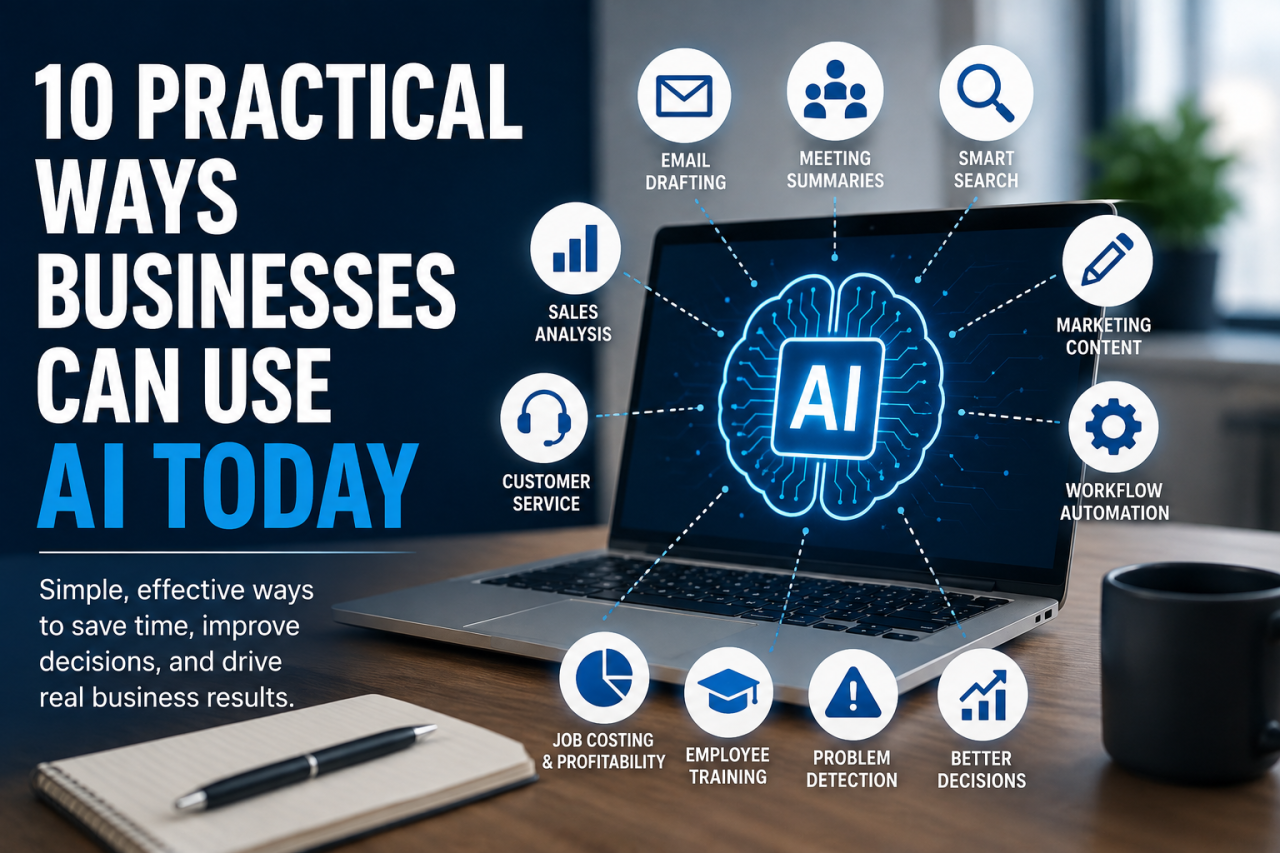
Artificial intelligence is no longer something businesses need to prepare for “someday.” It is already changing how companies communicate with customers, manage information, analyze data, create content, support employees, and make decisions.
The good news is that businesses do not need to completely reinvent their operations to benefit from AI.
In fact, some of the best uses of artificial intelligence are surprisingly practical. AI can help employees complete repetitive tasks faster, find information more easily, understand business data, prepare communications, and identify problems that might otherwise go unnoticed.
For small and midsize businesses, these improvements can be especially valuable. Employees often wear multiple hats, managers have limited time, and important information may be scattered across different systems. Used correctly, AI can help businesses accomplish more with the people and resources they already have.
The key is knowing where AI actually makes sense.
Here are 10 practical ways businesses can begin using AI today.
1. Draft Emails and Business Communications
One of the easiest places to start using AI is business communication.
Employees spend a significant amount of time writing emails, customer responses, follow-up messages, internal announcements, proposals, and other routine communications. AI can help create a strong first draft in seconds.
For example, a salesperson could provide AI with a few notes from a customer conversation and ask it to prepare a professional follow-up email. A manager could use AI to turn a rough collection of bullet points into a clear company announcement.
Customer service representatives could use it to draft responses to common questions.
The goal is not necessarily to have AI send communications without human involvement. Instead, AI can eliminate the blank page and give employees something useful to review and improve.
Employees should still verify important details, adjust the tone, and make sure the final message accurately represents the company.
Used this way, AI becomes a writing assistant rather than a replacement for human communication.
2. Summarize Meetings and Conversations
Meetings generate a lot of valuable information.
Unfortunately, that information is often lost.
Employees may leave a meeting remembering different details about what was discussed, who agreed to do what, or when something needs to be completed.
AI-powered meeting tools can help turn meeting transcripts and notes into useful summaries.
Instead of reviewing an entire conversation, employees may be able to quickly see:
- Major topics discussed
- Decisions that were made
- Assigned responsibilities
- Important deadlines
- Questions that still need answers
- Recommended follow-up items
This can be particularly useful for sales meetings, project discussions, management meetings, customer calls, and internal planning sessions.
AI summaries can also make meetings more searchable later. Rather than asking, “What did we decide about that project three months ago?” employees may be able to find the relevant conversation and quickly review the key points.
As with other AI-generated content, summaries should be reviewed when accuracy is important. AI can misunderstand context or incorrectly attribute a statement.
But as an organizational tool, meeting summarization can save employees considerable time.
3. Help Employees Find Information Faster
Businesses accumulate enormous amounts of information.
Policies, customer records, product documentation, project files, training materials, emails, procedures, pricing information, and other documents can become difficult to navigate.
Employees often know the information exists. The problem is finding it.
AI-powered search can make business information easier to access by allowing employees to ask questions in natural language.
Instead of searching through folders or trying several keywords, an employee might ask:
“What is our procedure for approving a customer discount?”
Or:
“What were the requirements discussed for the Johnson project?”
An AI system connected to the appropriate business information could locate relevant records and provide a summarized answer.
This has the potential to dramatically reduce the amount of time employees spend searching for information.
However, businesses need to be careful about permissions. AI should respect the same security rules as the systems containing the original information. Employees should only receive information they are authorized to access.
4. Analyze Sales Data
AI can also help businesses understand what is happening in their sales pipeline.
Many companies already collect large amounts of sales data through CRM and business management software. The challenge is turning that information into useful insights.
AI can potentially help identify patterns such as:
Which products or services are selling the most?
Which customers generate the most revenue?
Which opportunities are most likely to close?
Where are deals getting stuck?
Which sales representatives may need additional support?
What types of customers typically become the best long-term accounts?
Traditionally, answering these questions may require creating reports, exporting spreadsheets, or manually reviewing records.
AI can make business data more conversational.
A manager might eventually be able to ask a business system something like:
“Which open opportunities over $25,000 have not had activity in the last two weeks?”
That type of interaction can make data much more accessible to employees who are not professional analysts.
The important point is that AI works best when the underlying data is accurate. Poor-quality CRM data will still produce poor-quality analysis.
AI does not eliminate the need for good data management. It makes good data more valuable.
5. Improve Customer Service
Customer service is another area where AI can provide immediate benefits.
Businesses receive many repetitive questions:
Where is my order?
What are your business hours?
Do you provide this service?
When will my project be completed?
Can I get another copy of my invoice?
AI assistants can help answer routine questions while allowing employees to focus on conversations that require judgment or personal attention.
The best customer service applications usually combine automation with human support.
AI might answer simple questions, gather information from customers, categorize requests, or suggest responses to employees.
When the situation becomes complicated, emotional, unusual, or financially significant, a person should take over.
That balance is important.
Customers generally do not care whether AI is involved. They care about receiving accurate information and getting their problems resolved quickly.
Businesses should therefore evaluate AI customer service tools based on whether they improve the customer experience—not simply whether they reduce the number of human interactions.
6. Create First Drafts of Marketing Content
Marketing teams have quickly become some of the most active users of generative AI.
AI can help businesses brainstorm and draft:
Blog articles
Social media posts
Email campaigns
Product descriptions
Website copy
Video scripts
Advertisement concepts
Frequently asked questions
Sales materials
The biggest advantage is speed.
Instead of spending an hour trying to create the first version of something, a marketer can provide AI with information about the company, audience, product, and objective and generate several possible approaches.
But businesses should be careful about publishing AI-generated marketing content without editing it.
Generic prompts often produce generic marketing.
Strong content still requires knowledge of the customer, the company’s products, its brand voice, and the market.
The most effective approach is usually to combine AI’s ability to generate ideas quickly with human experience and expertise.
AI can accelerate creativity. It should not eliminate originality.
7. Identify Repetitive Administrative Work
One of the smartest ways to introduce AI into a business is to look for tasks employees perform repeatedly.
Ask employees:
“What do you do every day that feels unnecessarily manual?”
The answers may reveal excellent opportunities for automation.
Employees might spend time:
Copying information between systems
Categorizing incoming requests
Preparing routine reports
Entering notes
Creating follow-up tasks
Organizing documents
Reviewing forms
Scheduling activities
Updating records
AI combined with workflow automation can potentially reduce many of these administrative tasks.
Even saving five or ten minutes on a task can become significant when that task happens hundreds or thousands of times per year.
This is also an important reason businesses should involve employees in AI initiatives.
Management may assume it knows where inefficiencies exist, but the people performing the work every day often know exactly where the bottlenecks are.
Ask employees where they lose time.
Then determine whether AI, automation, better software, or a process change could solve the problem.
8. Analyze Job Costs and Profitability
Revenue does not always tell you whether a job, product, customer, or service is actually profitable.
Businesses need to understand their costs.
AI can potentially help companies analyze job costing data and identify patterns that would be difficult to spot manually.
For example, a company may discover that certain types of projects consistently require more labor than estimated.
Another product category may generate strong revenue but have unusually low margins because material costs have increased.
AI could help managers identify questions worth investigating:
Which jobs consistently exceed estimated labor hours?
Which customers receive the largest discounts?
Which product categories have declining margins?
Where are material costs increasing?
Which types of projects generate the most profit?
This type of analysis can be particularly valuable for project-based businesses, manufacturers, contractors, sign companies, service organizations, and other companies where costs vary from job to job.
AI does not make the business decision.
It helps managers see the information needed to make a better decision.
9. Assist With Employee Training
Training new employees can require a tremendous amount of time from experienced team members.
New employees frequently ask questions about procedures, software, products, customers, and company policies.
AI can potentially act as an internal training assistant.
Imagine a new employee being able to ask:
“How do I create a new sales opportunity?”
“What information is required before a job moves into production?”
“What is our process for requesting a purchase order?”
Instead of interrupting another employee for every question, the AI assistant could search approved training materials and provide guidance.
This does not replace experienced employees or formal training.
It supplements them.
AI can handle straightforward questions while managers and experienced employees focus their training time on situations that require context, judgment, and real-world experience.
It can also make company knowledge easier to preserve.
When procedures exist only in the heads of longtime employees, businesses become vulnerable when those employees leave.
Documenting processes and making them accessible through intelligent search can help protect valuable institutional knowledge.
10. Help Managers Spot Problems Earlier
Perhaps the most powerful business use of AI is not creating content at all.
It is finding problems.
Modern businesses generate enormous amounts of operational data. Sales systems, accounting platforms, production software, inventory systems, project management tools, and other applications continuously record what is happening.
Managers cannot manually review every record.
AI can help monitor that information and highlight unusual conditions.
For example:
Sales opportunities may be sitting untouched.
Projects may be approaching deadlines without required tasks being completed.
Customers may suddenly reduce their purchasing activity.
Job costs may be exceeding estimates.
Invoices may be aging beyond normal payment periods.
Inventory usage may look unusual.
Employee workloads may become unbalanced.
Instead of waiting for someone to discover the problem, software could potentially bring the situation to management’s attention.
That changes the role of business software.
Traditional software primarily records what happened.
AI-enabled business software can increasingly help companies understand what is happening—and potentially what requires attention next.
Start With Problems, Not AI
Businesses should resist the temptation to implement artificial intelligence simply because AI is popular.
Start with a business problem.
Where are employees wasting time?
Where are mistakes happening?
What information is difficult to find?
Which processes are unnecessarily repetitive?
Where do managers lack visibility?
What questions are difficult to answer with existing reports?
Those questions are far more important than asking, “How can we use AI?”
Once a real business problem has been identified, companies can determine whether AI is actually the right tool.
Sometimes it will be.
Sometimes traditional automation, better processes, employee training, or better business software will solve the problem more effectively.
AI should be treated as another business capability—not a strategy by itself.
Keep Humans Involved
AI systems can produce impressive results, but they can also make mistakes.
They can misunderstand instructions, overlook context, generate incorrect information, or confidently present an answer that sounds reasonable but is wrong.
Businesses therefore need appropriate human oversight.
The amount of oversight should depend on the risk involved.
Using AI to brainstorm social media topics is relatively low risk.
Using AI to interpret a major customer contract, make financial decisions, provide safety instructions, or communicate sensitive information requires considerably more caution.
Businesses should also establish clear policies about what information employees are allowed to enter into public AI tools.
Customer information, confidential company data, financial records, passwords, intellectual property, and other sensitive information should be protected.
AI adoption should go hand in hand with security, permissions, accountability, and employee training.
AI Is Most Valuable When Connected to the Business
Standalone AI tools can already help employees write, summarize, brainstorm, and research.
But the larger opportunity comes when AI can securely work with actual business information.
That means connecting AI capabilities with CRM, ERP, accounting, project management, production, inventory, and other operational systems.
When AI understands the appropriate business context, employees can ask much more valuable questions.
Instead of asking:
“How do I improve sales?”
A manager could ask:
“Which customers have reduced their purchases compared with the same period last year?”
Instead of asking:
“How can I improve profitability?”
A manager could ask:
“Which types of jobs had the lowest gross margins during the last six months?”
The difference is context.
Generic AI provides generic intelligence.
AI combined with accurate business data can provide business intelligence that is much more relevant to the decisions a company actually needs to make.
The Businesses That Benefit Most Will Use AI Practically
Artificial intelligence does not need to transform an entire company overnight to provide value.
A better strategy is often to begin with small, measurable improvements.
Save employees time writing routine communications.
Make company information easier to find.
Summarize meetings.
Improve customer service.
Analyze sales activity.
Identify administrative work that can be automated.
Understand job profitability.
Improve employee training.
Help managers identify problems sooner.
Then measure what actually works.
The companies that get the most value from AI will not necessarily be the companies using the most AI tools. They will be the companies that understand where AI improves their operations and where human experience, judgment, and relationships still matter.
AI is becoming another tool businesses can use to operate more efficiently and make better-informed decisions.
The opportunity is not simply to replace work with artificial intelligence.
It is to give employees better tools to do their work.
And for many businesses, there are practical opportunities to start doing exactly that today.